ToolboxPro vs TinyWow vs ILovePDF: Which Online Tool Site Is Most Private?
We compare the three most popular free online tool websites on privacy, file handling, features, and performance. Find out which one keeps your data safe.
Privacy Showdown: How Three Major Free Tool Platforms Handle Your Data
When you need to edit a PDF, compress an image, or format some JSON, free online tools are the obvious choice. But there's a catch — most of them upload your files to a server. This comparison examines ToolboxPro, TinyWow, and ILovePDF on the factors that matter most: privacy, features, speed, and cost.
Privacy & Data Handling
The single most important factor when choosing an online tool — where does your data go?
ILovePDF uploads every file to its servers for processing. Their privacy policy states that files are deleted after processing, but those files traverse the network, sit on temporary storage, and pass through server memory. For sensitive documents (contracts, medical records, financial statements), this is a non-starter.
TinyWow also processes files server-side. They encrypt transfers via HTTPS, but the fundamental architecture means your data leaves your device. Their servers temporarily store files during processing.
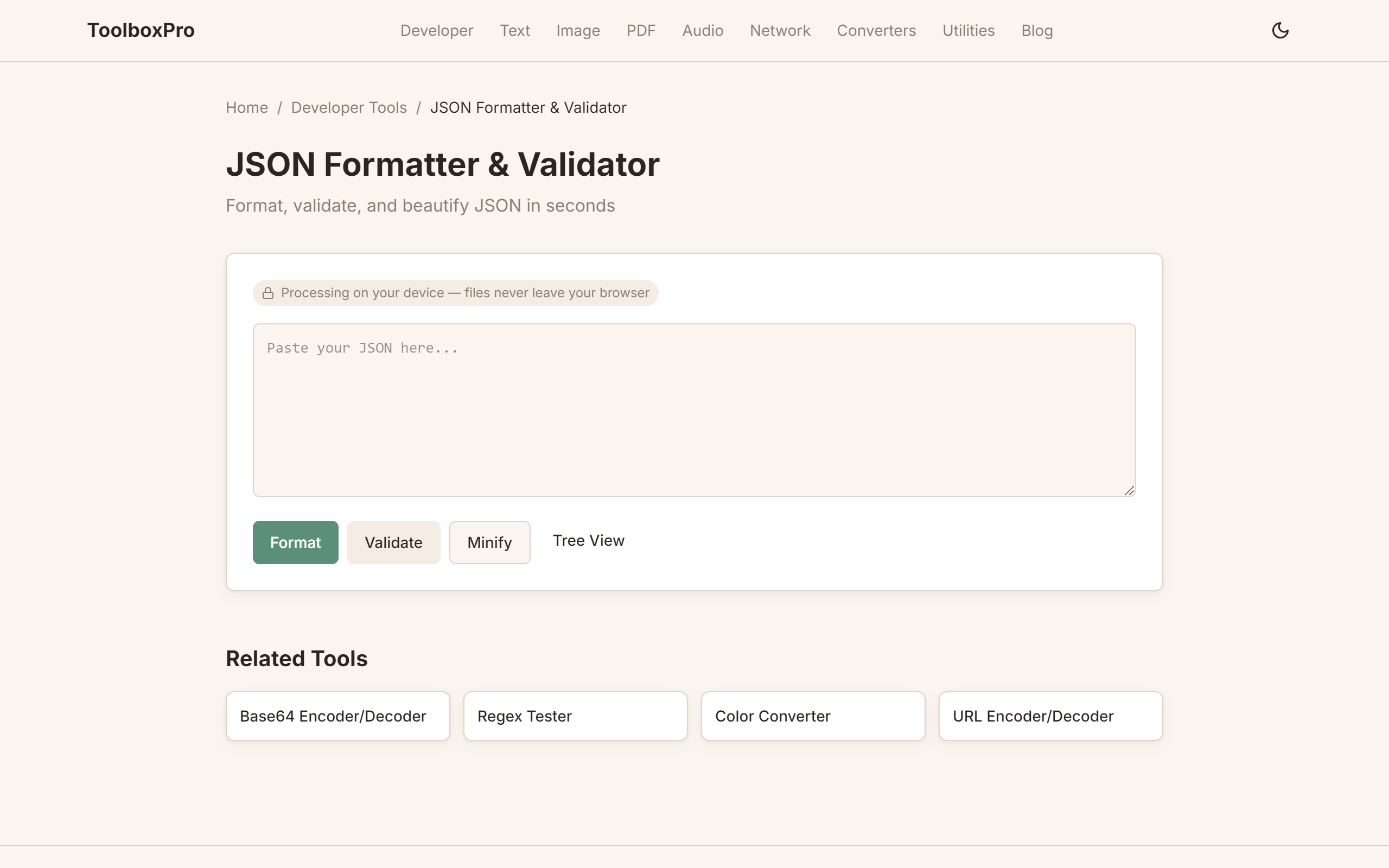
ToolboxPro processes everything in your browser. Files never leave your device. There is no upload, no server-side processing, no temporary storage on any remote machine. The JSON formatter, PDF merger, image compressor — all run via JavaScript or WebAssembly in your own browser tab.
Winner: ToolboxPro — Zero data transfer is safer than any server-side promise.
Available Tools
| Category | ToolboxPro | TinyWow | ILovePDF |
|---|---|---|---|
| PDF Tools | 5 free | 15+ (freemium) | 25+ (freemium) |
| Image Tools | 10 free | 10+ (freemium) | Limited |
| Developer Tools | 25+ free | Limited | None |
| Text Tools | 15+ free | Some | None |
| Audio Tools | 1 free | Some | None |
| Network Tools | 3 free | None | None |
| Total (free tier) | **100+** | ~30 | ~15 |
Winner: ToolboxPro — Largest free catalog with no paywalls.
Comparison Summary
| Factor | ToolboxPro | TinyWow | ILovePDF |
|---|---|---|---|
| Privacy | Client-side only | Server-side | Server-side |
| Signup required | No | No | Limits without account |
| Free tools | 100+ | ~30 free | ~15 free |
| PDF encryption | Not available | Available | Available |
| Image compressor | Free | Watermarked | Premium |
| Offline mode | Yes (after first load) | No | No |
| Mobile friendly | Yes | Yes | Yes |
Data Handling Differences
The architectural difference between client-side and server-side processing has real consequences for your data security.
ILovePDF follows a standard cloud-processing model: your file is uploaded via HTTPS, processed on their servers using native libraries (Ghostscript, ImageMagick, PDFtk), and then the result is sent back for download. They delete files from their servers after a set period (typically 2 hours), but during that window your file exists on their infrastructure — in memory, in temporary disk storage, and potentially in CDN caches or backup snapshots. For GDPR-regulated data, HIPAA-protected health records, or confidential business documents, this model introduces compliance risk.
TinyWow uses a similar server-side architecture. Files are uploaded, processed, and deleted — typically within 15 minutes. They use HTTPS for transit encryption, but the fundamental risk is the same: your data leaves your device and resides, however briefly, on infrastructure you don't control. They also state that files may be retained longer for abuse monitoring.
ToolboxPro eliminates the entire upload-then-process model. Every tool — PDF merger, image compressor, JSON formatter, base64 encoder — runs as JavaScript or WebAssembly directly in your browser tab. The file you select never enters a network request. There is no temporary server storage, no CDN cache, no log file containing your data. This isn't just a privacy improvement — it's a fundamentally different trust model. You don't have to trust ToolboxPro's privacy policy because there's nothing for the policy to protect. The data simply isn't there to leak.
For developers, this means you can safely process .env files, API response dumps, configuration files with embedded secrets, and production data without a second thought. For businesses, it means compliance with GDPR, HIPAA, and SOC 2 data residency requirements is trivially satisfied — the data never leaves the user's machine.
Speed Comparison
Because ToolboxPro doesn't upload files, it's significantly faster for small-to-medium files where network round-trips dominate.
| File Size | ToolboxPro | TinyWow | ILovePDF |
|---|---|---|---|
| 100KB PDF | <1s | ~3s | ~4s |
| 1MB image | ~1s | ~4s | ~5s |
| 10MB PDF | ~3s | ~8s | ~10s |
| 50MB PDF | ~8s | ~15s | ~20s |
For very large files (100MB+), server-side tools with dedicated processing hardware can sometimes match or exceed browser-based performance. But for the majority of everyday tasks — files under 20MB — ToolboxPro's zero-latency local processing is noticeably faster.
Feature Coverage
Each platform has different strengths in its tool catalog:
Recommendation by Use Case
For developers: ToolboxPro is the clear winner. The combination of client-side privacy, developer-specific tools (JWT, regex, hash, base64), and format converters (JSON↔YAML, JSON→TypeScript) covers daily dev workflows that the other platforms don't address at all.
For PDF power users: ILovePDF is the strongest choice if you need OCR, e-signatures, or PDF repair — and you're comfortable with the server-side processing model. For basic PDF tasks (merge, split, compress), ToolboxPro is faster and more private.
For casual users: TinyWow offers a decent middle ground with a broad toolset, though the watermarks on free image output are a drawback. If privacy matters, ToolboxPro's zero-upload model is still preferable.
For privacy-sensitive work: ToolboxPro, unambiguously. No other platform can guarantee that your files never leave your device. If you're handling contracts, medical records, financial statements, or any data subject to compliance regulations, client-side processing is the only responsible choice.
Verdict
Choose ToolboxPro if: Privacy is your primary concern, you are a developer needing dev tools, or you want 100+ tools without signing up.
Choose TinyWow if: You need PDF encryption or prefer a more polished UI.
Choose ILovePDF if: You need advanced PDF features like OCR or e-signatures, and you are willing to pay.
Conclusion
For everyday use — formatting JSON, compressing images, merging PDFs — ToolboxPro offers the best combination of privacy, features, and zero cost. The client-side architecture means your data is provably safe, the speed is superior for typical file sizes, and the tool catalog is the largest free offering available. The trade-off is a smaller selection of advanced PDF features compared to ILovePDF.
If you value your data privacy and want fast, reliable tools without an account, try ToolboxPro — everything runs in your browser.
Try it yourself with our free online tool:
Try ToolboxPro vs TinyWow vs ILovePDF: Which Online Tool Site Is Most Private? →