HEX to RGB: Color Conversion Made Simple
Convert colors between HEX, RGB, and HSL formats. A practical guide for designers and developers.
What Is Color Conversion and Why It Matters
Color conversion translates a color from one model to another — HEX to RGB, RGB to HSL, or HSL back to HEX. Each model describes color differently, and understanding conversions is essential for web development, graphic design, data visualization, and print production.
The three most common models are HEX (HTML/CSS), RGB (digital displays), and HSL (favored by designers for intuitive adjustments). While they describe the same colors mathematically, they serve different purposes. A reliable color conversion tool lets you move between them instantly.
Understanding the RGB Color Model
RGB is an additive color model where colors are created by combining red, green, and blue light. Each channel ranges from 0 to 255 (8-bit), giving 16,777,216 possible colors (256³). Max on all channels (255,255,255) is white; min (0,0,0) is black.
RGB is the native language of computer monitors, TV screens, and phone displays — every pixel contains red, green, and blue subpixels. It's ideal for screen-based design but unintuitive for humans: it's hard to "make this color a bit more blueish" in RGB without trial and error.
Decoding the HEX Color Format
HEX is RGB represented in base-16 notation: #RRGGBB. Each pair of hexadecimal digits maps to an RGB channel. For example, #FF5733 breaks down to R=FF (255), G=57 (87), B=33 (51).
HEX is the most widely used color format in web development. CSS, SVG, Canvas, and design tools all accept it. Its compact format — six characters after the hash — makes it easy to copy, paste, and share.
The HSL Advantage
HSL (Hue, Saturation, Lightness) was designed to be human-friendly. Hue is the angle on the color wheel (0–360°), saturation controls vividness (0–100%), and lightness controls brightness (0–100%). Want a lighter version of a color? Just increase lightness. Need a desaturated variant? Lower saturation. This makes HSL the preferred format for creating color palettes and adjusting designs.
Step-by-Step: How to Convert HEX to RGB
Converting a HEX color to RGB is straightforward math. Here's the process:
1. Remove the # symbol from the front of the HEX code.
2. Split the remaining six characters into three pairs: the first two for red, the next two for green, and the last two for blue.
3. Convert each pair from base-16 (hexadecimal) to base-10 (decimal). Each pair yields a number between 0 and 255.
4. Combine the three values into an RGB triplet: rgb(R, G, B).
Example: Converting #3A7BD5 to RGB:
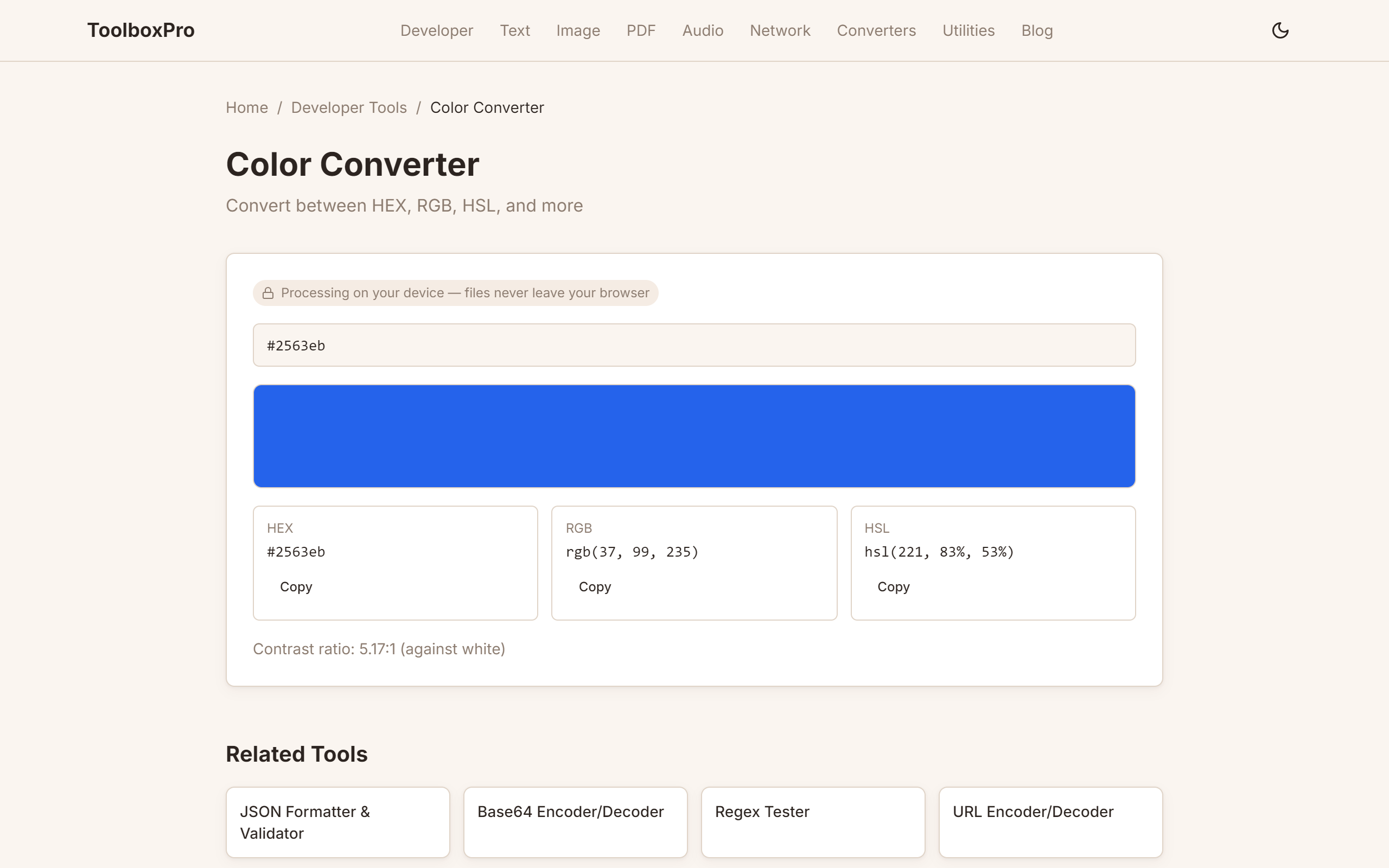
You can also use the ToolboxPro Color Converter to do this instantly — just paste your HEX code and see the RGB, HSL, and CMYK equivalents.
Common Color Conversion Scenarios
Web Development
When working with CSS, you might receive a design spec with colors in RGB format but need HEX for your stylesheet. Or you might want to adjust a color's opacity — CSS rgba() requires the RGB format with an alpha channel. For example, rgba(58, 123, 213, 0.8) gives you the same blue with 80% opacity.
Print Design
Print designers often work with CMYK (Cyan, Magenta, Yellow, Key/Black) colors. While HEX and RGB are screen-based, converting to CMYK is necessary for accurate print output. The color converter tool supports CMYK conversion, which is essential before sending files to a printer.
Brand Consistency
Companies define brand colors in specific formats. If your style guide says #1E3A5F but a teammate sends you rgb(30, 58, 95), you need to verify they match. A quick conversion confirms identity. Maintaining a consistent color palette across websites, apps, and marketing materials requires frequent format conversions.
Accessibility and Contrast
Web accessibility guidelines (WCAG 2.1) require a minimum contrast ratio of 4.5:1 for normal text. Converting colors to RGB or HSL makes it easier to calculate contrast ratios and adjust lightness or saturation to meet compliance standards.
Quick Reference: Popular Color Conversions
| Color Name | HEX | RGB | HSL |
|---|---|---|---|
| Pure Red | #FF0000 | rgb(255, 0, 0) | hsl(0, 100%, 50%) |
| Forest Green | #228B22 | rgb(34, 139, 34) | hsl(120, 61%, 34%) |
| Royal Blue | #4169E1 | rgb(65, 105, 225) | hsl(225, 73%, 57%) |
| Sunset Orange | #FF6347 | rgb(255, 99, 71) | hsl(9, 100%, 64%) |
| Midnight | #191970 | rgb(25, 25, 112) | hsl(240, 64%, 27%) |
Use the ToolboxPro Color Converter to look up any color or convert between formats in real time.
Tips for Accurate Color Conversion
Related Tools
Advanced Color Format Conversions
HEX to RGBA (with Transparency)
When you need transparency, convert HEX to RGBA by adding an alpha channel:
RGB to HSL
HSL (Hue, Saturation, Lightness) is often easier to work with for color manipulation:
Color Temperature Conversions
Converting between warm and cool color palettes often requires going through RGB as an intermediate step. Designers use this to create cohesive color schemes across different UI states.
Real-World Use Cases
CSS Custom Properties
Modern CSS uses custom properties (variables) that often need RGB values:
:root {
  --primary: rgb(59, 130, 246);
  --primary-alpha: rgba(59, 130, 246, 0.1);
}
Canvas and WebGL
HTML5 Canvas and WebGL shaders work with RGB or RGBA values directly. Converting your design palette to these formats enables programmatic rendering and animation.
Data Visualization
Chart libraries like D3.js, Chart.js, and Plotly accept RGB values for coloring data points, axes, and legends. Having your color palette in RGB format streamlines the visualization workflow.
Color Theory Quick Reference
Understanding color relationships helps you choose better palettes:
When converting between formats, keep these relationships in mind to maintain visual harmony in your designs.
Try it yourself with our free online tool:
Try HEX to RGB: Color Conversion Made Simple →