Regex for Beginners: How to Test Regular Expressions Online
Learn regex from scratch. Patterns, quantifiers, groups, and how to test them in real-time with our free tester.
Regex Basics: A Practical Guide for Developers
Regular expressions (regex) are one of those skills that look intimidating at first but become indispensable once you master them. Whether you're validating email addresses, extracting data from logs, or performing complex search-and-replace operations, regex gives you superpowers in text processing. This guide covers the fundamentals you need to start writing effective patterns today.
What Is a Regular Expression?
A regular expression is a sequence of characters that defines a search pattern. Think of it as a mini-programming language designed specifically for matching and manipulating text. Most modern programming languages — JavaScript, Python, Ruby, Java, Go, and many others — support regex natively or through standard libraries.
The core idea is simple: you define a pattern, and the regex engine scans your input text to find matches. Patterns can range from a literal word like \hello\ to complex expressions that match email addresses, URLs, or nested HTML tags.
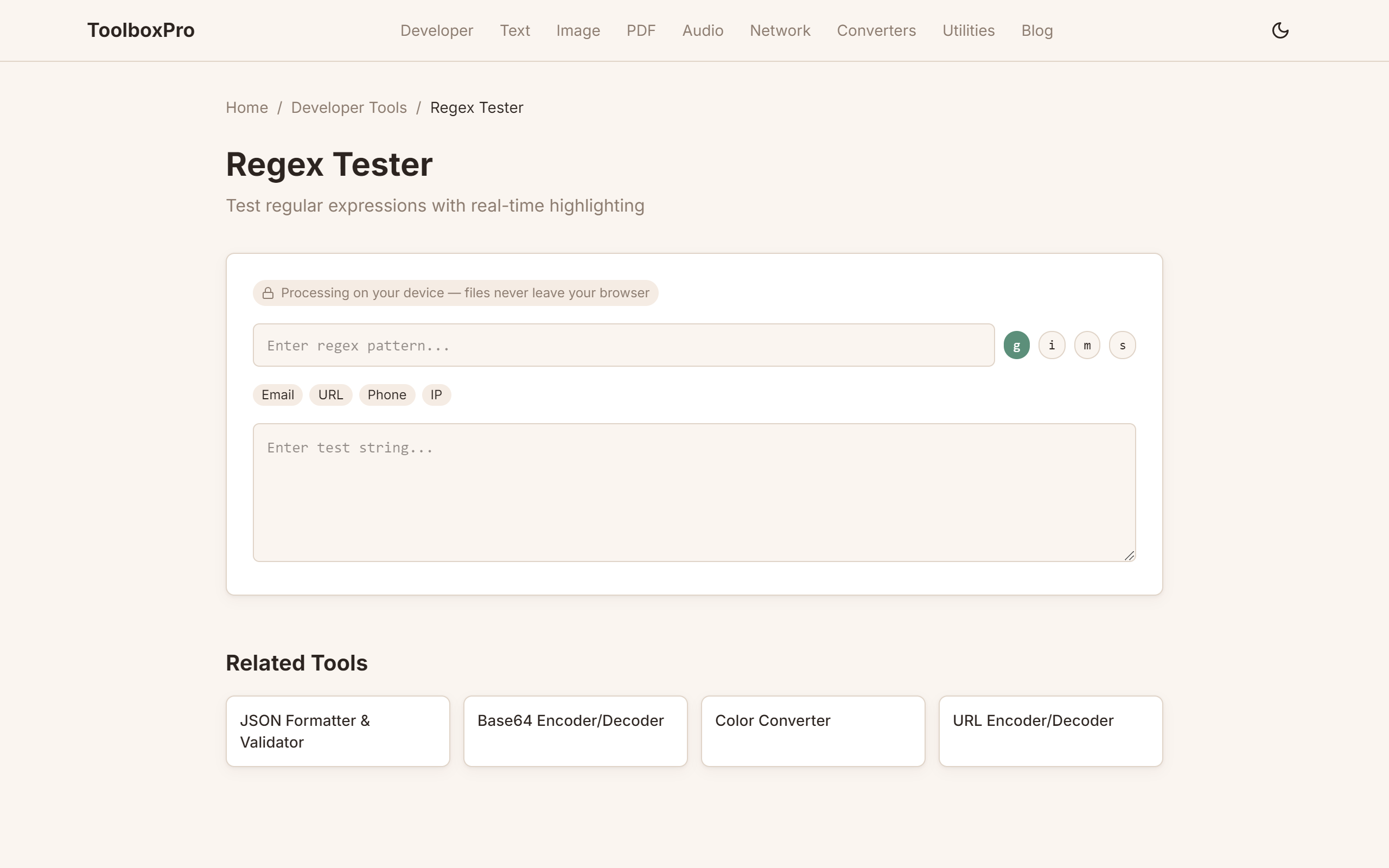
You can experiment with patterns interactively using our regex tester tool, which provides real-time matching against sample text.
Common Patterns and Building Blocks
Most regex patterns are built from a small set of primitives. Here's a cheat sheet of the most frequently used building blocks:
| Pattern | Meaning | Example | Matches | ||
|---|---|---|---|---|---|
| \`.\` | Any character except newline | \`c.t\` | cat, cot, cut | ||
| \`\\d\` | Any digit (0-9) | \`\\d{3}\` | 123, 456, 000 | ||
| \`\\w\` | Word character (a-z, A-Z, 0-9, _) | \`\\w+\` | hello, test_123 | ||
| \`\\s\` | Whitespace (space, tab, newline) | \`\\s+\` | " ", "\\t\\n" | ||
| \`^\` | Start of string | \`^Hello\` | "Hello world" | ||
| \`$\` | End of string | \`world$\` | "Hello world" | ||
| \`*\` | Zero or more of preceding | \`ab*c\` | ac, abc, abbc | ||
| \`+\` | One or more of preceding | \`ab+c\` | abc, abbc (not ac) | ||
| \`?\` | Zero or one of preceding | \`colou?r\` | color, colour | ||
| \`{n,m}\` | Between n and m repetitions | \`\\d{2,4}\` | 12, 123, 1234 | ||
| \`[abc]\` | Character class (any listed) | \`[aeiou]\` | Any vowel | ||
| \`[^abc]\` | Negated character class | \`[^0-9]\` | Any non-digit | ||
| \`(x | y)\` | Alternation (x or y) | \`cat | dog\` | cat or dog |
Master these, and you can construct patterns for 90% of everyday use cases. For example, a US phone number pattern might look like \\\d{3}-\\d{3}-\\d{4}\ — three digits, a hyphen, three digits, another hyphen, and four digits.
Regex Flags: Controlling the Engine
Flags modify how the regex engine interprets and applies your pattern. The most important ones are:
Flags are combined in different ways depending on the language. In JavaScript: \/pattern/gi\. In Python: \re.findall(pattern, text, re.IGNORECASE | re.DOTALL)\. In most online tools, they're available as toggle buttons.
Greedy vs Lazy Quantifiers
One of the most common regex pitfalls is the difference between greedy and lazy matching. By default, quantifiers like \ To make a quantifier lazy, add a \ The fastest way to learn regex is to experiment. Paste your pattern and sample text into our regex tester, and see matches highlighted instantly. Toggle flags like \ Once you're comfortable with the basics, practice with real-world patterns: email validation, URL extraction, phone number parsing, and log file analysis. The patterns below in the cheat sheet section give you a head start. Save this table — these patterns cover 80% of real-world regex use cases: Important: These patterns are starting points, not production-ready validators. For email, consider using a dedicated validation library rather than regex — the RFC 5322 specification for valid email addresses is too complex for any practical regex. Badly written regex can cause catastrophic backtracking — where the engine takes exponential time on certain inputs. This has taken down production systems (the 2016 Stack Overflow outage was caused by one regex). \ // Test regex performance const start = performance.now(); 'aaaaaaaaaaaaaaaaaaaaab'.match(/^(a+)+$/); const elapsed = performance.now() - start; console.log(\ \ If a regex takes more than a few milliseconds on a short string, you have catastrophic backtracking. 1. Be specific instead of broad. Replace \ 2. Use possessive quantifiers or atomic groups. JavaScript doesn't support possessive quantifiers (\ 3. Anchor your patterns. \ 4. Avoid nested quantifiers. Patterns like \ 5. Compile once, use many times. In Python, use \ \ # Compile once at module level EMAIL_RE = re.compile(r'^[\\w.+-]+@[\\w-]+\\.[a-zA-Z]{2,}$') def is_valid_email(email): return bool(EMAIL_RE.match(email)) # Fast — no recompilation \ When a regex doesn't match what you expect, follow this systematic approach: Step 1 — Simplify. Remove quantifiers and groups one at a time until the pattern matches. Then add them back one by one to find the failing component. Step 2 — Use an interactive tester. Our regex tester highlights each capture group separately, so you can see exactly which part of your pattern is consuming which text. Step 3 — Check for hidden characters. Copy-pasted text often contains invisible characters: zero-width spaces (U+200B), non-breaking spaces (U+00A0), or carriage returns. Use \ Step 4 — Verify flags. A pattern that works without the \ Different environments use different regex engines, and behavior varies: Key gotcha: Go's RE2 engine does not support backreferences (\ Try it yourself with our free online tool:*\, \+\, and \{n,m}\ are greedy — they consume as many characters as possible. For example, \<.*>\ applied to \<\ to the last \>\), not just \?\ after it: \<.*?>\ will match \Testing Regex Online
g\, \i\, and \m\ to understand how they change results. Capture groups appear in a breakdown panel so you can verify exactly what each group matched.Next Steps
Common Regex Patterns Cheat Sheet
Pattern Matches Regex Email (basic) \`user@example.com\` \`^[\\w.+-]+@[\\w-]+\\.[a-zA-Z]{2,}$\` URL \`https://example.com/path\` \`https?://[\\w.-]+(?:/[\\w./-]*)*\` Phone (US) \`123-456-7890\` \`\\d{3}[-.]?\\d{3}[-.]?\\d{4}\` IPv4 \`192.168.1.1\` \`\\b(?:\\d{1,3}\\.){3}\\d{1,3}\\b\` Hex color \`#ff5733\` \`#[0-9a-fA-F]{3,6}\` Date (YYYY-MM-DD) \`2026-05-23\` \`\\d{4}-\\d{2}-\\d{2}\` Time (24h) \`14:30\` \`([01]?\\d 2[0-3]):[0-5]\\d\` Strong password 8+ chars, upper, lower, digit \`^(?=.*[a-z])(?=.*[A-Z])(?=.*\\d).{8,}$\` Slack mention \`@channel\` \`@[a-z0-9_-]+\` Hashtag \`#coding\` \`#[\\w]+\` ZIP code (US) \`12345\` or \`12345-6789\` \`\\d{5}(-\\d{4})?\` Credit card (Visa) \`4111 1111 1111 1111\` \`^4[0-9]{12}(?:[0-9]{3})?$\` Regex Performance Optimization
How to Detect Slow Regex
\\`javascriptTook \${elapsed}ms\); // Can take 10+ seconds!\\`Optimization Techniques
.*\ with \[^<]*\ when matching HTML content — it prevents the engine from backtracking across the entire string.a++\), but you can use atomic groups via the \v\ flag in modern engines. In Python, use \re.ASCII\ and atomic patterns.^\\d{4}\ is faster than \\\d{4}\ because the engine doesn't scan the entire string if the match must be at the start.(a+)+\ or \(a*)*\ are the primary cause of catastrophic backtracking. Flatten them whenever possible.re.compile()\ to pre-compile patterns. In JavaScript, define regex literals outside loops:\\`python\\`Debugging Regex Effectively
[\\s\\S]\ instead of \.\ if you suspect newlines are the issue.g\ flag can behave differently with it — especially in JavaScript's \String.match()\ vs \String.matchAll()\.Comparison: Regex Engines
Engine Used By Key Differences **PCRE** PHP, Apache, many tools Supports lookbehind, named groups, recursion **RE2** Go, Rust (default) No backtracking — guaranteed linear time, no lookarounds **JavaScript** Browsers, Node.js No lookbehind (until ES2018+), \`\\d\` matches Unicode digits **Python re** Python Supports lookbehind (fixed-width only), no atomic groups **Oniguruma** Ruby Supports subexpression calls, branch reset \\1\) or lookarounds (\(?=...)\). This is a deliberate design choice to guarantee O(n) performance — no catastrophic backtracking is possible. If you're porting regex from another language to Go, you may need to rewrite patterns.\Blog