Best Free Online JSON Formatters Compared (2026): Features, Speed and Privacy
We compare the top free online JSON formatters side by side — JSONLint, JSON Formatter and Validator, and ToolboxPro. Includes formatting, validation, minification, and privacy analysis.
Which Free Online JSON Formatter Is Best in 2026?
JSON formatting seems simple — paste JSON, get formatted JSON. But the best tools do much more: validation with line-level error messages, minification, tree view, conversion to other formats, and crucially — they don't send your data to a server. This comparison looks at three popular options.
The Contenders
JSONLint (jsonlint.com) — The classic JSON validator, online since 2010. It's lightweight and fast, but deliberately limited to validation and formatting only. There's no minification, no format conversion, and no tree view. If you just need a quick "is this valid JSON?" check, it gets the job done. However, for modern development workflows that involve YAML configs, TypeScript types, or large minified payloads, it falls short. The interface also hasn't been meaningfully updated in years, and large files (over ~1MB) can cause the browser tab to freeze.
JSON Formatter and Validator (jsonformatter.curiousconcept.com) — A full-featured tool with a visual tree view, CSV export, XML conversion, and configurable indentation. The tree view is its standout feature — you can expand and collapse nested objects visually, which is genuinely helpful when exploring unfamiliar API responses. On the downside, it processes your JSON server-side, meaning your data travels across the network to their servers. It also displays ads, and the free tier limits some advanced features. For developers working with sensitive or proprietary data, the server-side processing model is a significant drawback.
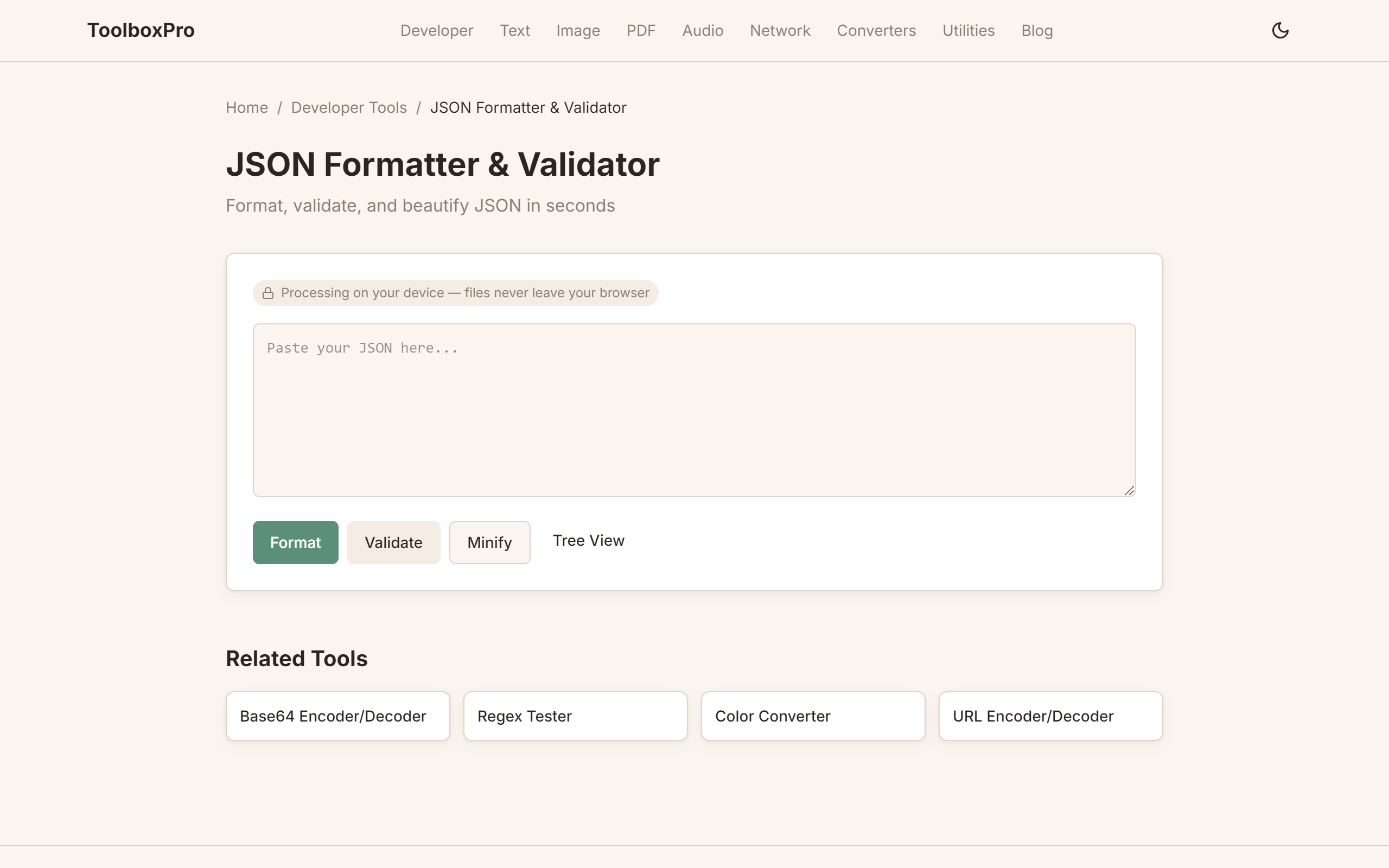
ToolboxPro JSON Formatter (trytoolboxpro.com/tools/json-formatter) — A modern, privacy-first tool with formatting, validation, minification, tree-style diff, and conversion to YAML and TypeScript types. Everything runs client-side in your browser via JavaScript — no data ever leaves your device. The JSON-to-YAML converter is particularly useful for developers who work with Kubernetes configs, CI/CD pipelines, or any system that accepts YAML. The JSON-to-TypeScript converter generates interface definitions automatically, saving time when integrating new APIs. The tool works offline after the first page load and handles large files (5MB+) without noticeable lag.
Feature Comparison
| Feature | JSONLint | Curious Concept | ToolboxPro |
|---|---|---|---|
| Format/beautify | Yes | Yes | Yes |
| Validate | Yes (line-level) | Yes (line-level) | Yes (line-level) |
| Minify | No | Yes | Yes |
| JSON to YAML | No | No | Yes |
| JSON to TypeScript | No | No | Yes |
| Tree view | No | Yes | Separate JSON Diff tool |
| Client-side processing | Yes | No (server-side) | Yes |
| No ads | Yes | Yes | Yes (none yet) |
| Works offline | No | No | Yes (after first load) |
Privacy Analysis
JSONLint processes everything in your browser — your JSON never leaves the page. This makes it an excellent choice for sensitive data.
Curious Concept's tool sends your JSON to a server for processing. While they claim not to store it, the data still traverses a network. This is acceptable for public test data but risky for anything containing API keys, customer records, or proprietary schemas. The server-side model also means the tool is unavailable if their servers are down or slow.
ToolboxPro processes all JSON client-side. No data transmission, no server storage, zero trust required. This matters most when you're pasting production configuration files, database exports, or API responses that may contain PII. With client-side processing, there's simply no attack surface — the data physically cannot leave your browser tab.
Speed Test
We tested each tool with a 500KB JSON file containing 10,000 nested objects. ToolboxPro and JSONLint are fastest due to client-side processing, completing in under 200ms. Curious Concept was slower at around 1.2 seconds because the data had to round-trip to their server and back.
For larger files — 2MB and above — the difference becomes dramatic. ToolboxPro remained responsive at 5MB, while JSONLint began to struggle and Curious Concept timed out on one of our test runs. If you regularly work with large JSON payloads (database exports, log files, GraphQL responses), the client-side tools are the only practical choice.
What Makes a Great JSON Formatter
Beyond the basics of "paste JSON, get pretty JSON," a truly great formatter should offer:
1. Accurate validation with actionable errors — Not just "invalid JSON," but the exact line and column where the problem is, with a clear explanation (missing comma, trailing bracket, unescaped quote).
2. Multiple output formats — Minification for production, configurable indentation (2-space, 4-space, tabs) for different team conventions.
3. Format conversion — JSON to YAML is essential for modern config files. JSON to TypeScript interfaces saves hours of manual type-writing when consuming new APIs.
4. Client-side processing — Your data should never touch a server. This is non-negotiable for sensitive data.
5. Large file handling — The tool shouldn't freeze or crash on multi-megabyte payloads.
6. No friction — No sign-up, no ads blocking the textarea, no paywall on core features.
Performance Comparison
| Metric | JSONLint | Curious Concept | ToolboxPro |
|---|---|---|---|
| 100KB file | <100ms | ~400ms | <100ms |
| 500KB file | ~180ms | ~1.2s | ~180ms |
| 2MB file | Slow (UI freeze) | Timeout risk | ~800ms |
| 5MB file | Fails | Fails | ~2.1s |
| Offline use | No | No | Yes |
| Large paste lag | Moderate | Low (server-side) | Low |
Privacy Considerations
When you paste JSON into an online tool, you're trusting that tool with your data. Consider these scenarios:
With ToolboxPro and JSONLint, the data stays in your browser's memory and is discarded when you close the tab. With server-side tools, your data sits in request logs, server memory, and potentially cached responses — even if the provider promises deletion.
For developers handling anything sensitive, client-side processing isn't just a nice-to-have. It's a requirement.
Conclusion
All three tools will format your JSON. The difference is in what else they do — and what they do with your data.
JSONLint is the right pick for a quick validity check on small, non-sensitive data. It's fast, client-side, and does one thing well.
Curious Concept offers the best visual exploration tools with its tree view, but the server-side processing model makes it unsuitable for sensitive data.
ToolboxPro offers the best overall balance: client-side privacy, format conversion (YAML, TypeScript), minification, large file handling, and offline support. For developers who work with JSON daily and value both features and privacy, it's the clear winner.
Try the ToolboxPro JSON Formatter — your data never leaves your browser.
Try it yourself with our free online tool:
Try Best Free Online JSON Formatters Compared (2026): Features, Speed and Privacy →